Graphics Output Protocol
Overview
The Graphics Output Protocol (GOP) is the UEFI interface that provides framebuffer-based graphics access to applications and boot loaders.
It replaces many legacy graphics interfaces and offers a standardized way to query display modes, switch resolutions and access video memory directly.
Why It Matters
GOP allows software to display graphics before an operating system is running.
Typical use cases include:
- Boot menus
- Splash screens
- Diagnostic tools
- Graphical installers
- Kernel boot graphics
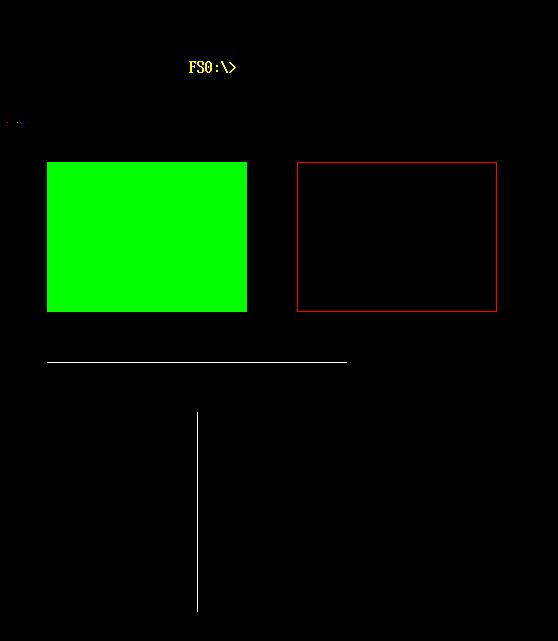
In this project, GOP is used to render pixels, lines and rectangles directly into the framebuffer.
Accessing GOP
Applications locate the protocol through Boot Services:
LocateProtocol()
        |
        v
EFI_GRAPHICS_OUTPUT_PROTOCOL
The protocol is identified by a GUID and returned as an interface pointer.
Main Operations
The most important GOP functions are:
| Function | Purpose |
|---|---|
QueryMode() | Retrieve information about a graphics mode |
SetMode() | Switch to a different graphics mode |
Blt() | Optional block transfer operations |
This project primarily uses QueryMode(), SetMode() and direct framebuffer access.
Querying Modes
QueryMode() returns information such as:
- Horizontal resolution
- Vertical resolution
- Pixel format
- Pixels per scan line
Example:
Status = gop->QueryMode(
    gop,
    ModeNumber,
    &InfoSize,
    &Info
);
An Important Ownership Detail
A key finding during development was that QueryMode() allocates the Info buffer internally.
This means:
- The callee allocates the memory
- The caller must free it using
FreePool()
Example:
Status = gop->QueryMode(..., &InfoSize, &Info);

if (!EFI_ERROR(Status)) {
    /* use Info */
    FreePool(Info);
}
This differs from APIs such as GetMemoryMap(), where the caller allocates the buffer.
Setting a Graphics Mode
After selecting a mode, the application activates it:
Status = gop->SetMode(gop, ModeNumber);
The framebuffer configuration in gop->Mode is then updated to reflect the active mode.
The Framebuffer
GOP exposes a linear framebuffer through:
FrameBufferBaseFrameBufferSize
A pixel is written by calculating its memory address:
PixelAddress =
    FrameBufferBase +
    (Y * PixelsPerScanLine + X) * BytesPerPixel
The Graphics Demo uses this mechanism to implement PutPixel() and higher-level drawing primitives.
Console vs Framebuffer
UEFI text output and GOP graphics are separate subsystems.
Text printed with:
Print(L"Hello");
uses the console output protocol.
Framebuffer rendering writes directly to video memory.
This is why the Graphics Demo can display graphical content while still printing status messages to the console.
Relationship to the Project
The Graphics Demo application demonstrates practical GOP usage:
- Mode enumeration
- Mode switching
- Framebuffer access
- Pixel plotting
- Line drawing
- Rectangle rendering
Example output: